Coming soon to iPhone and Android
Turn cooking videos into recipes you can cook.
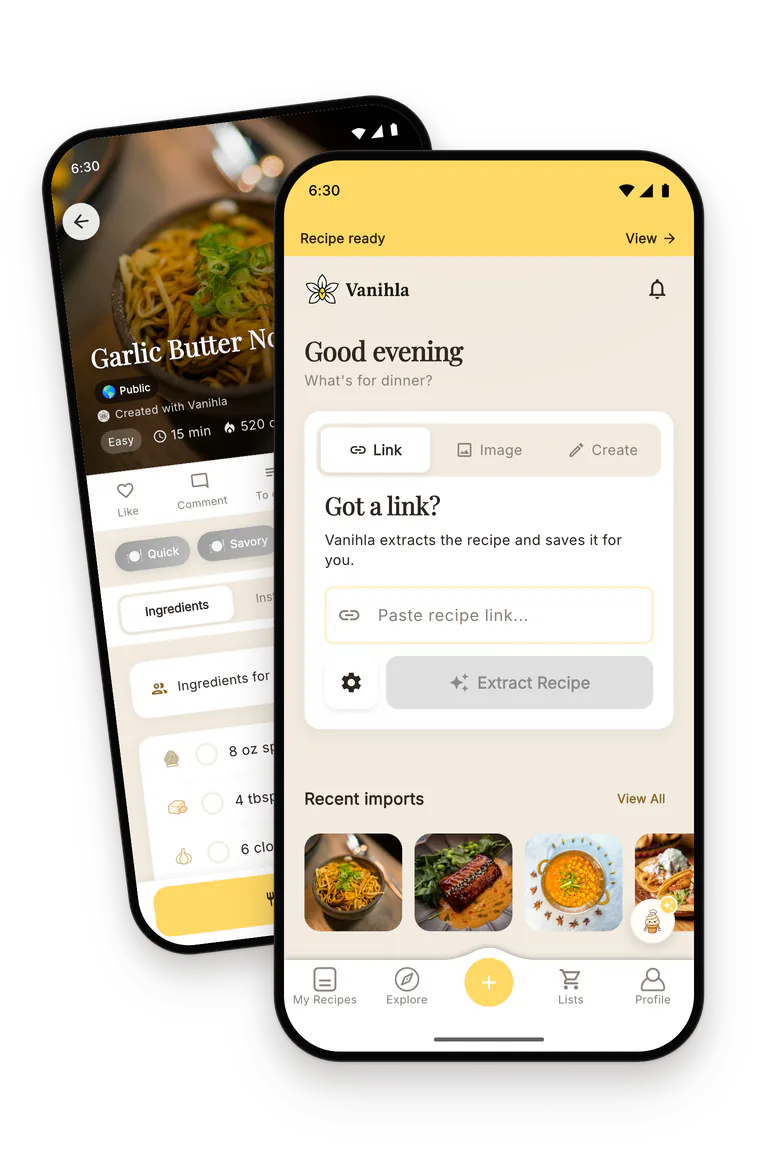
Paste a link from TikTok, Instagram, YouTube or a recipe site. Vanihla writes out every ingredient and every step, so you can cook it, plan it and shop for it.

How it works
From saved video to
dinner, in three steps.
-
Paste or share a link
Copy a link from TikTok, Instagram, YouTube or a recipe site.
-
Get the recipe
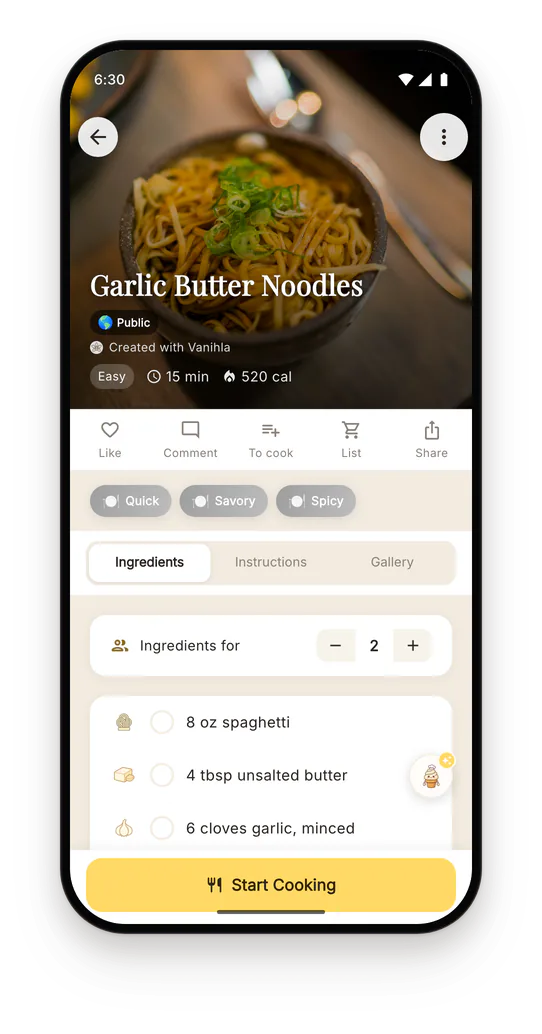
Vanihla turns it into a clear, organized recipe with ingredients, steps and cooking times.
-
Cook, plan & shop
Save it, add it to a meal plan and turn it into a grocery list with one tap.
Features
Everything between
the video and the plate.
Save from anywhere
Turn videos, links and images into recipes.
Stay organized
Smart recipe books, with calories on every recipe.
Plan ahead
Build meal plans in minutes.
Shop smarter
Turn any recipe or meal plan into a grocery list.
More than recipes
Recipes for your
lifestyle.
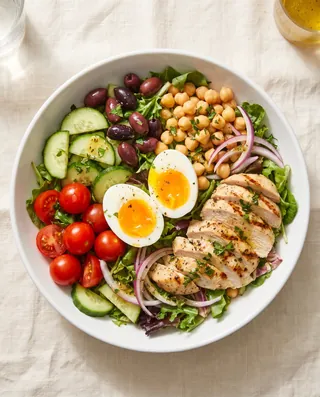
Check which recipes fit your diet, see the nutrition, and find inspiration from a community of home cooks.
- Vegan
- Keto
- No gluten
- High protein
- + More
Watch the Vanihla film
Plans
Free to start. Vanihla Pro when you want more.
Everything that makes Vanihla a cooking app is free. Vanihla Pro lifts the ceilings.
Free
The whole kitchen, from video to plate.
- Import recipes from links, photos and your own words
- Edit, rescale and organize your recipes into books
- Cook Along with timers
- Shopping lists, pantry and households
- Plan your week by hand
- The feed, posts and following
- Calories on every recipe
- Cooking help from Chef Nilla
Vanihla Pro
Everything in Free, plus:
- Chef Nilla's meal planner builds your week and reworks any night
- Full nutrition facts on every recipe
- Nutrition Analysis on any recipe
- No monthly import cap (a daily fair-use limit applies)
- Smart books and shopping lists with no cap
- More chats with Chef Nilla every day
- No ads
Vanihla Pro is an optional subscription with a yearly and a monthly plan, billed through the App Store or Google Play. The app shows the price in your currency before you subscribe, and you can cancel any time in your store account.
Questions, answered
What does Vanihla do?
Vanihla turns cooking videos and recipe pages into recipes you can cook from. Paste or share a link and it writes out the ingredients and the steps, then helps you organize, plan, shop for and cook them.
Which apps and sites does it work with?
Videos and posts from YouTube, TikTok, Instagram, Facebook, Pinterest and Lemon8, plus most recipe websites. You can also import a photo of a recipe, such as a cookbook page, a screenshot or a handwritten card, or describe a dish and have Chef Nilla write it for you. A private or deleted post can't be read.
Is Vanihla free?
Yes. Vanihla is free to download, and importing, organizing, cooking and shopping are free. Vanihla Pro is an optional subscription that includes Chef Nilla's meal planner, the full nutrition facts and Nutrition Analysis on any recipe, and lifts any limits on the free plan. The free plan may show ads; Vanihla Pro has none. The app shows Pro's price in your currency before you subscribe.
How accurate are the recipes?
Recipes are read out of videos and pages by AI, so now and then a step or an amount comes out wrong. You can edit any recipe, and the nutrition numbers are estimates, not lab measurements.
Who can see my recipes?
Accounts are public by default, so recipes you import show on your profile. Switch to a private account in Settings and only followers you approve can see your recipes and posts. A recipe Chef Nilla writes from your description stays visible only to you until you cook it and post a photo.
What languages does Vanihla speak?
The app is in English, Spanish and French, following your phone's language setting. Recipes can stay in the language of their video or page, or Vanihla can translate each one into a language you pick as you import it.
How do I cancel Vanihla Pro?
In the store you subscribed through: the App Store on iPhone, or Google Play on Android. The Manage Subscription button in the app takes you there. Deleting the app or your account doesn't cancel a subscription.
How do I delete my account?
In the app, go to Settings, then Account, then Delete Account, or use the account deletion page on this site. Deletion starts a 14-day grace period, and you can cancel it by signing back in before it ends.
Somewhere in your saved videos is the best dinner you've never made.
Join the waitlist and we'll email you when Vanihla is in the App Store and Google Play.